

Introduction
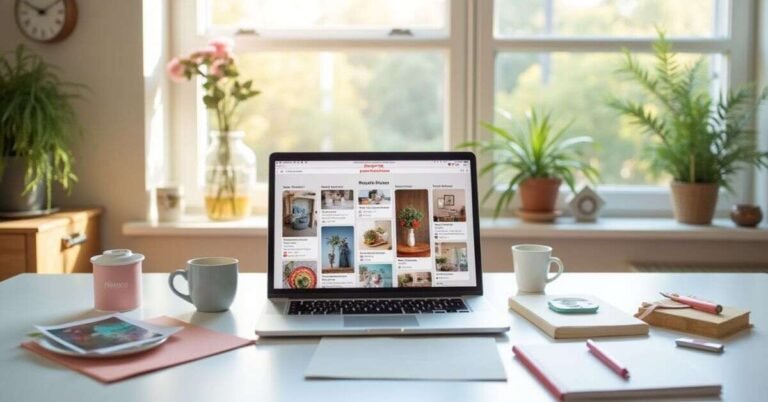
Pinterest Tips for Beginners is more than just a place to look at pretty pictures. It is actually a visual search engine where people go to find inspiration and new ideas. Think of it as a digital mood board that helps you discover everything from home decor to business tips.
Have you ever wondered why some people get thousands of clicks while your pins stay quiet? The secret isn’t just luck; it’s about knowing how the platform’s “brain” works. If you want to stop shouting into the void and start going viral, you need a plan that turns casual scrollers into loyal fans.
In this guide, we will dive into simple but powerful strategies to boost your reach. We’ll cover how to pick the right keywords, design eye-catching graphics, and use the latest algorithm updates to your advantage. Whether you are a blogger or a brand, these steps will help you master the art of the Pin.
Pinterest Tips for Beginners
Pinterest is a giant search engine for pictures. People use it to find ideas for cooking, fashion, or home decor. Instead of just reading text, you “pin” images you like to your own digital boards. It is a great way to save inspiration and share your favorite finds with others.
To get started, you need to create a profile and start pinning. Use clear, bright images that grab people’s attention. Make sure to use simple words in your titles so others can find your pins easily. If you stay active and pin things regularly, more people will start to follow your boards.
Top Pinterest Tips for Beginners
Getting started on Pinterest is all about being helpful and visual. First, make sure you switch to a Business Account so you can see your stats. This helps you learn which pins people actually like. Use high-quality, vertical images because they look best on mobile screens.
To grow your reach quickly, focus on these simple habits:
- Write clear titles: Use words people actually type into the search bar.
- Pin consistently: It is better to pin five times a day than thirty times once a week.
- Organize your boards: Give your boards specific names like “Easy Vegan Recipes” instead of just “Food.”
When you share great content, the Pinterest algorithm rewards you by showing your pins to more people. Don’t be afraid to experiment with different colors and fonts on your images. The more you practice, the easier it becomes to spot what makes a pin go viral.
Pinterest Tips for Beginners Step-by-Step
First, set up your profile the right way. Start by creating a Business Account to unlock free tools and analytics. Choose a clear profile picture and write a short bio that explains what you share. Then, create a few boards with specific names so your profile looks organized and professional.
Next, focus on creating your first Pin. Use a vertical image since most people use Pinterest on their phones. Add a catchy title and a short description using words people might search for. Finally, add a link to your website or blog and hit publish. Repeat this often to keep your profile active and growing.
Easy Pinterest Tips for Beginners
Pinterest is all about sharing ideas that look great. To start, focus on making your profile easy to find. Your profile picture should be clear and your bio should be short. Create a few boards that focus on specific topics you love, like “Quick Workouts” or “Healthy Snacks.”
Once your profile is ready, keep these simple tips in mind to grow your audience:
- Use vertical images: Tall pictures take up more space and get more clicks.
- Add helpful descriptions: Tell people exactly what they will find when they click.
- Be a good neighbor: Pin other people’s helpful content, not just your own.
By pinning high-quality images regularly, you build trust with your followers. You don’t need to be a professional designer to succeed. Just focus on being helpful and staying consistent with your posts every day.
Pinterest Beginner Mistakes to Avoid
Many beginners treat Pinterest like Instagram, but that is a mistake. Don’t just post random photos of your daily life. Pinterest users are looking for solutions and ideas, not just pretty selfies. Another big error is forgetting to add links to your pins. If you don’t link back to your website, people can’t find your content.
Avoid these common pitfalls to keep your account healthy:
- Using horizontal images: These look tiny on phones and get ignored.
- Ignoring keywords: If you don’t use descriptive words, your pins won’t show up in search results.
- Pinning too much at once: Spamming 50 pins in one minute can get your account flagged.
- Broken links: Always check that your pins actually lead to a working webpage.
Consistency is much better than bulk pinning. Try to post a few high-quality pins every day instead of a hundred once a month. This keeps the algorithm happy and helps your audience find you more easily.
How Pinterest Works for Beginners
Pinterest works like a giant search engine, but it uses pictures instead of just text. When you search for a topic, you see “Pins,” which are visual bookmarks created by other users. Each Pin usually has a link that leads to a website, blog, or store. It is designed to help you discover new ideas and save them for later.
Instead of just scrolling through a feed, you organize your favorite Pins into “Boards.” Think of these as digital folders for different topics, like “Dream Home” or “Easy Dinners.” When you save a Pin, Pinterest learns what you like and shows you more similar content. This makes it a great tool for planning projects and finding inspiration.
Pinterest Tips for Beginners to Grow Fast

If you want to see results quickly, you must treat Pinterest like a search engine. Start by using Pinterest Trends to see what people are searching for right now. Instead of guessing, look for topics that are just starting to get popular. When you create pins that match these “rising” trends, the algorithm is much more likely to show your content to thousands of new people.
To speed up your growth, focus on these high-impact habits:
- Post “Fresh” Pins: Create 3–5 different designs for the same link to give the algorithm more chances to find an audience.
- Use Video Pins: Short, vertical videos (9:16 ratio) are currently getting more views and engagement than static images.
- Target Seasonal Topics: Start pinning about holidays or events 45–60 days before they actually happen.
- Check Your Analytics: Look at your “Top Pins” every week and make more content that looks and feels like your winners.
Consistency is your best friend when you are trying to grow. It is better to post 2–3 high-quality pins every single day than to dump 20 pins once a week. This steady activity tells Pinterest that your account is a reliable source of fresh ideas, which helps your reach compound over time.
Pinterest Beginner Checklist

To succeed on Pinterest, you need a solid foundation from day one. Start by setting up a Business Account so you can see which of your pins are actually working. Fill out your profile with a clear photo and a bio that uses the same words people use to search for your topics. This makes it much easier for the Pinterest algorithm to understand what you do and show your content to the right people.
Organization is the secret to staying consistent without feeling overwhelmed. Create at least five boards that focus on your main interests and give them simple, searchable names. Before you publish a pin, double-check that your link works and that your image is tall rather than wide. Use the checklist below to make sure you haven’t missed any important steps as you grow your account.
| Category | Action Item | Why It Matters |
| Profile | Convert to a Business Account | Unlocks analytics and the ability to run ads. |
| Profile | Claim your website | Boosts your credibility and shows your URL on pins. |
| Profile | Add keywords to your Name/Bio | Helps you appear in “People” search results. |
| Boards | Create 5-10 niche boards | Organizes your content for the algorithm to read. |
| Boards | Write board descriptions | Provides extra SEO context for visual searches. |
| Design | Use a 2:3 aspect ratio (vertical) | There is more screen space taken up by vertical pins on mobile devices. |
| Design | Add clear text overlays | Tells users exactly what they get if they click. |
| SEO | Research keywords in the search bar | Ensures you are using terms people actually type. |
| Strategy | Pin at least once a day | Consistency is the #1 way to grow your reach. |
| Technical | Check every link before posting | A broken link ruins your chances of making a sale. |
Pinterest Tips for Business Beginners
If you are using Pinterest for business, your goal is to turn viewers into customers. First, make sure you verify your website so Pinterest knows you are a trusted brand. This adds a small globe icon to your profile and gives you access to detailed data. Use your business name in your profile and include a clear “call to action” in your bio so people know how to work with you.
To make your business stand out, focus on providing value through your visual content:
- Showcase your products in action: Instead of just a plain product photo, show someone using it in real life.
- Create “How-to” Pins: Educational content like tutorials or tips gets shared more often.
- Use your brand colors: Stay consistent with fonts and colors so people recognize your business instantly.
- Add a link to every Pin: Direct users to a specific product page or a helpful blog post on your site.
Remember that Pinterest is a long-term game for businesses. A pin you post today can keep sending traffic to your website for months or even years. Be patient, look at your analytics to see what people are clicking, and keep refining your strategy based on what your customers love.
Pinterest Growth Tips for Beginners
Growing on Pinterest starts with understanding what your audience wants to see. Use the search bar to find popular topics in your niche and see what kind of images show up first. Focus on creating high-quality, vertical pins that solve a problem or offer a great idea. When your content is truly helpful, people will naturally want to save it to their own boards.
Consistency is the real engine behind fast growth. Try to pin at least one or two new images every day to keep your profile active in the feed. It is also smart to engage with other creators by repinning content that fits your brand. As you stay active, the algorithm will start showing your pins to more people who share your interests.
Conclusion
Mastering Pinterest takes a little bit of patience and a lot of creativity. You don’t need to be an expert to see great results. Just focus on making pins that look good and help people solve a problem. If you stay consistent and keep learning from your stats, your audience will naturally start to grow over time.
It’s most important to just get started. Don’t worry about being perfect with your first few pins. As you post more, you will quickly figure out what your followers love to see. Keep sharing your best ideas, and soon you will see your traffic and engagement take off.
FAQs
1. How often should I post on Pinterest as a beginner?
Aim to post 1–5 “fresh” Pins every day to keep the algorithm happy. Consistency is much more important than posting a huge batch all at once.
2. What is the best image size for a Pin?
The best size is a vertical 2:3 aspect ratio, such as 1000 x 1500 pixels. Tall images perform better because they take up more space on mobile screens.
3. Do I really need a Pinterest Business account?
Yes, because it is free and gives you access to Pinterest Analytics. You need these stats to see which Pins are actually getting clicks and saves.
4. Can I use Pinterest if I don’t have a website?
Absolutely, you can link your Pins to your social media profiles or Etsy shop. However, having a website or blog is the best way to build a long-term brand.
5. How long does it take for a Pin to go viral?
Pinterest is a “slow burn,” so it can take anywhere from a few weeks to a few months. Unlike Instagram, your Pins can continue to gain traffic for years.

Welcome to Digital Pin Media! I’m Usama Ijaz, an AI-Powered SEO, and Content Write with 4 years of experience.
I help websites rank higher, grow traffic, and look amazing. My goal is to make SEO and web design simple and effective for everyone.
Let’s achieve more together!



I recently started looking into upgrading my laptop’s memory. During my search I found useful information on https://znayka.com.ua.
I couldn’t find practical upgrade instructions on most websites. Many sources were too general.
On this site I found useful technical guidance, along with step-by-step visuals that made everything much easier to understand.
I recommend this site to anyone looking for clear tech explanations if you want reliable information about laptops and hardware upgrades.