
Introduction
Pinterest image are the visual heart of the platform. They are the vertical graphics or photos that people scroll through to find new ideas and inspiration. A great Pin is designed to stand out in a busy feed while clearly showing what your content is about. These images act as digital billboards that guide users from Pinterest directly to your website or blog.
Think about the last time you were scrolling and suddenly stopped. It was likely a beautiful or helpful image that grabbed your attention and made you want to see more. In a sea of millions of Pins, yours needs to have that same magnetic pull to get noticed. If your visuals are boring or hard to read, you are leaving massive amounts of traffic on the table.
Creating high-performing Pins is more than just picking a pretty photo. It involves using the right layout, clear text overlays, and strategic branding to encourage people to act. By focusing on specific design habits, you can significantly increase how many people click your links. This guide will show you exactly how to optimize your images for the best possible results.
Pinterest Image Search Tools
Using the right tools makes finding and creating the perfect visuals much easier. Pinterest has its own built-in features like Pinterest Lens that let you search using your phone’s camera. You can also use Pinterest Trends to see which types of images are gaining popularity right now. These tools help you understand exactly what your audience wants to see on their screens.
Beyond the official app, there are many expert tools to help you stay ahead. Programs like Canva and Pin Inspector are great for designing and analyzing high-performing graphics. They allow you to look at your competitors and see which image styles are getting the most saves. Using these resources ensures your content is always fresh and optimized for the latest search trends.
Visual Pinterest Image Discovery
Pinterest works differently than other platforms because it actually “sees” your images. The system uses advanced technology to scan every part of your Pin, identifying specific objects, colors, and overall styles. This means that even if a user doesn’t type a single word, Pinterest can still recommend your content simply because it looks like something they already enjoy. It is like having a digital assistant that matches your visuals to the perfect audience based on their unique taste.
For creators, this visual discovery is a powerful way to get found by new people. When you use high-quality photos and clean layouts, it becomes much easier for the algorithm to categorize your work. If your Pin features a specific item, like a wooden coffee table or a green indoor plant, Pinterest can show it to users who are browsing similar home decor. By making your images clear and easy to understand, you allow the platform to serve your content to millions of potential followers who are looking for exactly what you offer.
Top Pinterest Image Tips for Creators
Creating great Pins starts with using a vertical layout because most people use Pinterest on their phones. You should aim for a 2:3 aspect ratio so your image takes up the right amount of space on the screen. Use high-resolution photos that are bright and clear to catch the eye instantly. Adding a text overlay helps users understand your message immediately even before they read the caption.
Consistency is the secret to building a recognizable brand on the platform. Stick to a specific color palette and set of fonts so followers can spot your content in a crowded feed. It is also helpful to place your logo subtly on every Pin to protect your work and build trust. Keep these quick tips in mind:
- Use bold and easy-to-read fonts for your titles.
- Pick warm colors like red or orange to increase engagement.
- Avoid using too many busy elements in one graphic.
- Make sure your text provides a clear solution or benefit.
Pinterest Image Sizes & Optimization
Choosing the right size for your Pins is the first step toward getting more views. Pinterest prefers vertical images because most users browse on their mobile devices. If your image is square or horizontal, it might get cut off or look too small in the feed. Using the recommended dimensions ensures your content looks professional and fills the screen perfectly.
Optimization also means keeping your file sizes small so they load quickly. High-quality images are important, but they should not be so heavy that they slow down the user experience. You should also use descriptive file names before uploading to help the system understand your content. Following these simple technical steps makes a huge difference in how often your Pins are shown to others.
| Pin Type | Recommended Dimensions | Aspect Ratio | Best Use Case |
| Standard Pin | 1000 x 1500 pixels | 2:3 | Blog posts, products, and general tips. |
| Long Pin (Tall) | 1000 x 2100 pixels | 1:2.1 | Infographics and long step-by-step lists. |
| Square Pin | 1000 x 1000 pixels | 1:1 | Instagram cross-posts or simple quotes. |
| Pinterest Story | 1080 x 1920 pixels | 9:16 | Short videos and behind-the-scenes content. |
| Profile Cover | 800 x 450 pixels | 16:9 | Branding your main profile page. |
| Board Cover | 600 x 600 pixels | 1:1 | Organizing your boards for a clean look. |
| Carousel Pin | 1000 x 1500 pixels | 2:3 | Showing multiple angles of a single product. |
How to Upload & Organize Pinterest Images
Uploading your images to Pinterest is a very straightforward process. You can click the “Create” button on your profile and drag your file directly into the uploader. Once the image is there, make sure to add a clear title and a description that uses natural language. Don’t forget to include a destination link so users can visit your website with a single click. Adding “Alt text” is also a great idea to describe the image for those who use screen readers.
Organization is just as important as the upload itself. You should group your Pins into specific boards that reflect different topics or themes. This makes it much easier for your followers to find exactly what they are looking for when they visit your profile. Use clear and simple names for your boards so people understand the content inside instantly. A well-organized profile looks professional and encourages people to stay longer and explore more of your ideas.
Pinterest Image Inspiration for Every Niche
No matter what you talk about, there is an audience waiting for your ideas on Pinterest. If you focus on home decor, use bright photos of cozy rooms or DIY projects to spark creativity. For food bloggers, close-up shots of delicious meals with steam or fresh ingredients work best. Travel creators should use wide shots of beautiful landscapes or colorful city streets to make people dream of their next trip. Every niche has a unique visual style that speaks directly to the people interested in those topics.
Even more technical niches like finance or business can find great success with the right images. You can use clean charts, checklists, or simple text-based graphics that offer quick value. If you are in the gardening niche, show side-by-side progress photos of growing plants or close-ups of rare flowers. The key is to look at what is already popular in your specific field and add your own unique twist. By staying true to your niche’s aesthetic, you will attract followers who are genuinely excited about your content.
Pinterest Image Trends 2026
The trends for 2026 are moving away from perfect, staged photos and toward real personal expression. People are looking for “grounded optimism,” which means images should feel hopeful and comforting. You will see a lot of “Cool Blue” tones and “Neo Deco” designs that mix vintage styles with modern, shiny finishes. High-energy colors and tactile textures that look like you could reach out and touch them are also becoming very popular.
Another big shift is the rise of “niche aesthetics” that celebrate unique hobbies and identities. Whether it is the cozy, book-filled look of “Poetcore” or the bold, maximalist style of “Glamoratti,” being specific is better than being general. Authentic and less-polished visuals are performing better than overly edited ones because they build more trust. Here are some of the top visual trends to include in your Pins this year:
- Cool Blue & Glacier Tones: Use icy, refreshing colors to create a modern and calm vibe.
- Tactile Textures: Include “gummy” or 3D-looking elements that look squishy and fun.
- Retro Reclamation: Mix 60s vintage styles or 80s luxury with clean, modern layouts.
- Handwritten Touches: Add digital stickers, “snail mail” aesthetics, or handwriting for a human feel.
- Vibrant Earthy Mixes: Combine natural mossy greens with unexpected neon pops for high contrast.
Common Pinterest Image Mistakes
One of the biggest mistakes creators make is using horizontal or square images. Pinterest is a vertical platform, so short images often get lost or look small in the feed. Another common error is using tiny fonts that are impossible to read on a mobile screen. If a user has to squint to understand your title, they will likely keep scrolling without clicking. Always prioritize clarity and size to make sure your message is seen by everyone.
Many people also forget to check the quality of their photos before uploading. Blurry or dark images look unprofessional and can make users feel like your content is not trustworthy. It is also a mistake to use too many different colors or fonts on a single Pin, as this makes the design look messy. Keeping your visuals simple and high-quality is the best way to build a strong presence. Here are a few more mistakes to avoid:
- Using low-resolution photos that look pixelated.
- Forgetting to add a clear call-to-action on the image.
- Leaving out your logo or website URL for branding.
- Using “clickbait” titles that do not match the actual content.
Boost Traffic with Pinterest Image SEO
Pinterest SEO is the best way to help the platform understand what your images are about. When you save a file, use a name that includes your main keywords instead of a random string of numbers. You should also add clear and helpful Alt text that describes exactly what is happening in the picture. These small technical steps act like a map that guides the Pinterest search engine directly to your content.
The text you place on top of your image also plays a huge role in your search ranking. Pinterest can actually read the words on your Pins, so make sure your titles are clear and relevant to your topic. Using keywords in your text overlays helps your Pins show up when people search for those specific terms. By combining great design with smart keyword placement, you can drive a steady stream of traffic to your site for months or even years.
Pinterest Image Tools & Extensions
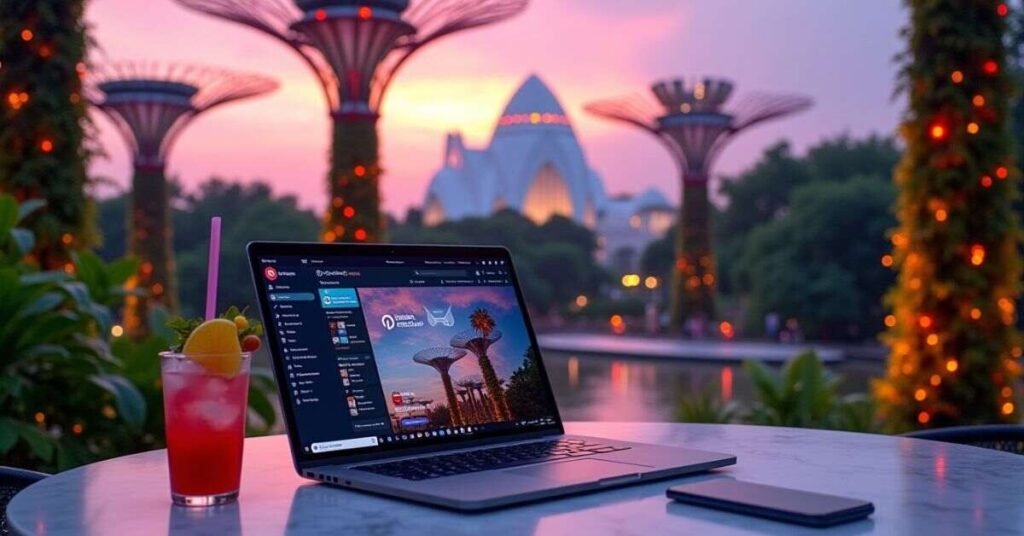
Using the right tools makes finding and creating the perfect visuals much easier. Many creators start with Canva because it offers simple templates made specifically for Pinterest’s vertical layout. For those who want to save time, Pin Generator or BlogToPin can automatically turn your website links into fresh Pin designs. These tools help you maintain a professional look without needing to be an expert graphic designer.
Browser extensions and research tools are also essential for staying ahead of the competition. The Tailwind extension allows you to schedule several Pins at once while you browse the web. You should also use Pinterest Trends to see exactly which keywords and image styles are gaining popularity right now. Using these resources ensures your content is always fresh and optimized for what people are searching for.
- Canva: Best for quick and easy drag-and-drop Pin design.
- Tailwind Extension: Great for scheduling images directly from your browser.
- Pin Inspector: Useful for researching popular keywords and competitor Pins.
- Pinterest Lens: A mobile tool that helps you find inspiration using your camera.
- Color Picker Extensions: Helpful for grabbing the exact hex codes from trending designs.
Best Apps for Pinterest Image Creation
Creating beautiful Pins does not require expensive software or professional design skills. There are many user-friendly apps that allow you to design high-quality graphics directly from your phone or laptop. These apps offer pre-made vertical templates that are already set to the perfect 2:3 aspect ratio. With simple drag-and-drop features, you can add text, logos, and fun elements to make your content stand out.
Choosing the right app depends on your specific needs and how much time you have. Some apps focus on quick editing with filters, while others give you full control over every design detail. Using these mobile-friendly tools allows you to stay consistent with your posting schedule even when you are on the go. Here are some of the most popular apps used by top creators today:
- Canva: The most popular choice for its massive library of templates and fonts.
- Adobe Express: Great for professional-looking layouts and high-quality stock photos.
- Picsart: Perfect for adding creative stickers, unique filters, and artistic effects.
- Over (by GoDaddy): Excellent for adding stylish text overlays and branding to your photos.
- Phonto: A simple app dedicated to adding beautiful typography to any image.
Browser Extensions to Manage Pinterest Images
Using browser extensions is a smart way to speed up your Pinterest workflow. These tools live right in your browser and allow you to save images from any website with just one click. Instead of downloading and re-uploading every photo, you can send them directly to your Pinterest boards while you browse. This helps you stay organized and ensures you never lose a great piece of inspiration for your next project.
Many extensions also offer advanced features like bulk downloading or automatic sorting. If you are researching a new topic, you can grab all the images from a page at once to save time. Some tools even help you analyze how well your Pins are doing by showing engagement data right on the screen. Using these simple add-ons makes managing a busy Pinterest account feel much less overwhelming.
- Tailwind Extension: The best tool for scheduling multiple Pins and finding the right posting times.
- Imageye: A powerful downloader that helps you find and save all images from any webpage in bulk.
- SortPin: Great for automatically organizing your boards and filtering Pins by their number of saves.
- Pinterest Save Button: The official extension that lets you create a Pin from any image you find online.
- Pin Toolbox: Perfect for creators who need to download entire boards for offline research or design work.
Conclusion
Building a successful presence on Pinterest takes time and a bit of creativity. By focusing on high-quality vertical images and smart organization, you can turn your profile into a powerful traffic source. Remember to keep your designs simple, use clear text, and always stay updated with the latest visual trends. Small changes in how you create and upload your Pins can lead to much better results over the long term.
The most important thing is to stay consistent and keep experimenting with what works for your audience. Don’t be afraid to try new colors, different layouts, or fresh tools to see what gets the most engagement. Pinterest is a visual journey, and your unique style is what will ultimately help you stand out. Keep creating, keep pinning, and enjoy watching your community and your blog grow.
FAQs
Q1. What is the best image size for Pinterest?
The best size is a 2:3 aspect ratio, such as 1000 x 1500 pixels. This vertical format ensures your Pin looks great and doesn’t get cut off on mobile screens.
Q2. How many Pins should I post every day?
Most experts suggest posting between 1 and 5 fresh Pins daily to stay active. It is better to post one high-quality image every day than to post twenty low-quality ones all at once.
Q3. Can I use hashtags on my Pinterest images?
Yes, you can use 2-3 relevant hashtags in your Pin description to help with discovery. However, focusing on high-quality keywords in your title and description is usually more effective for SEO.
Q4. Does the text on my image matter for search?
Absolutely, because Pinterest uses technology to read the text overlays on your graphics. Including your main keywords directly on the image helps the platform show your Pin to the right audience.
Q5. What should I do if my Pins are not getting clicks?
Try updating your designs with brighter colors, bolder fonts, or a clearer call-to-action. You should also check if your Pin titles are solving a specific problem or sparking curiosity for the user.

Welcome to Digital Pin Media! I’m Usama Ijaz, an AI-Powered SEO, and Content Write with 4 years of experience.
I help websites rank higher, grow traffic, and look amazing. My goal is to make SEO and web design simple and effective for everyone.
Let’s achieve more together!


One Comment