
Introduction
A caption is the text that appears underneath your photo or video on social media. It is your chance to explain what is happening in your post or share your thoughts with your followers. On apps like Instagram and TikTok, the caption helps people understand the context of your content.
Ever wonder why some posts get thousands of likes while others are ignored? The secret often lies in the words, not just the image. A great caption can turn a simple video into a viral hit by connecting with your audience. It is the bridge between a pretty picture and a meaningful conversation.
In this guide, we will dive deep into how captions work on the world’s biggest platforms. You will learn the best ways to write them, how long they should be, and why they are vital for growing your account. Whether you want to be funny, serious, or informative, we have you covered.
What Does Caption Mean?
A caption is the written description that goes along with a photo or video. It is the text you see right below the post on your screen. While the image shows people what happened, the caption tells them the story behind it. It is a simple way to give your content more meaning.
Think of a caption as a digital label for your life. You can use it to add a joke, share a quote, or ask your friends a question. It helps people understand your mood and makes your posts much easier to find. Without a caption, a post often feels unfinished or confusing.
Caption Meaning in Easy Words
In simple terms, a caption is just a text box for your media. It is the space where you type words to match your picture or movie. You can use this area to say where you were or who you were with. It turns a silent image into a story that everyone can read.
Captions are also great for adding extra details like emojis or hashtags. They help your friends know if you are feeling happy, sad, or excited. By using clear words, you make it easy for people to join the conversation. It is the best tool for making your social media posts feel more personal and fun.
What Is a Caption Used For?

A caption does much more than just sit under a photo. Its main job is to give your audience context so they aren’t left guessing. It helps you explain the “who, what, and where” of your post. By sharing your thoughts, you turn a simple image into a way to connect with your friends and followers.
Captions are also powerful tools for growing your reach and keeping people interested. You can use them to start a conversation or guide your viewers to take action. Here are a few common ways people use captions:
- Sharing Stories: Tell the back-story of a special moment.
- Adding Humor: Use a funny joke or a witty one-liner to entertain.
- Starting Conversations: Ask a question to get more comments.
- Providing Information: Give tips, recipes, or helpful advice.
- Using Hashtags: Help new people find your content through search.
Caption Examples You Can Understand Fast
Seeing real examples is the quickest way to learn. Different posts need different styles of writing. A sunset photo might need a short, sweet sentence. A workout video might need something more motivational. The best captions match the energy of the visual.
You don’t need to write a book to be effective. Sometimes, just a few words and an emoji do the trick. Here are some simple examples you can use right now:
- For a Vacation: “Paradise found. 🌴”
- This week’s best meal!
- For a Selfie: “Just being me today.”
- For a Throwback: “Missing this moment. ✨”
- For a Question: “Coffee or tea? Let me know below!”
Caption Meaning in Social Media
On social media, a caption is the text area that supports your post. It is the place where you add your voice to the images and videos you share. Every post on apps like Instagram, TikTok, and Facebook has a space for these words. It helps your content reach the right people and keeps them interested in your profile.
A good social media caption can be long or short. Some people use it to write a deep story, while others use just a few emojis. Its main goal is to help you connect with your audience. When you write a clear caption, you make it easy for others to like, comment, and share your work.
Types of Captions Explained Simply

There are many ways to write a caption depending on your goal. Some captions are meant to be very short and catchy. Others are longer and tell a detailed story to your followers. The type you choose depends on the vibe of your photo or video.
You can mix and match these styles to keep your feed interesting. Using different types helps you reach different kinds of people. Here are the most common types of captions you will see:
- Short & Sweet: Just one or two words and an emoji.
- Storytelling: A few sentences that explain a personal memory.
- Question Captions: A simple question to get people to comment.
- Educational: Useful tips or a “how-to” guide for your audience.
- Quote Captions: Using a famous line or a lyric that fits the mood.
How to Write a Good Caption (Easy Tips)
Writing a good caption does not have to be hard. You just need to be yourself and speak clearly. Start with your most important point so people see it first. Use simple words that are easy for everyone to understand. This makes your post feel more friendly and inviting.
A great caption also encourages people to interact with you. You can do this by sharing a small detail or adding a little personality. When you write like a human, your followers feel more connected to you. Here are some easy tips to make your captions better:
- Keep it Simple: Use short sentences and clear language.
- Add a Question: Ask your audience what they think.
- Use Emojis: Use one or two icons to show your mood.
- Check the First Line: Make the beginning catchy to grab attention.
- Be Helpful: Share a tip or a piece of advice.
Caption vs Title – What’s the Difference?

Many people think a caption and a title are the same thing. However, they actually have different jobs on your screen. A title is like a name for your work that sits at the very top. A caption is the description that lives underneath your photo or video to explain what is happening.
Titles are usually short and bold to grab your attention quickly. Captions can be much longer because they tell the full story. While a title tells you what the topic is, a caption gives you the details and helps you connect with the creator. Understanding this small difference helps you organize your posts better.
Key Differences at a Glance
| Feature | Title | Caption |
| Main Goal | To name or label the content. | To explain or give context. |
| Location | Usually at the top or center. | Usually below the image or video. |
| Length | Very short (3–5 words). | Can be short or long. |
| Tone | Formal or catchy. | Conversational and human. |
| Includes | Main keywords. | Emojis, stories, and hashtags. |
| Purpose | To tell you what it is. | To tell you why it matters. |
Why Captions Are Important
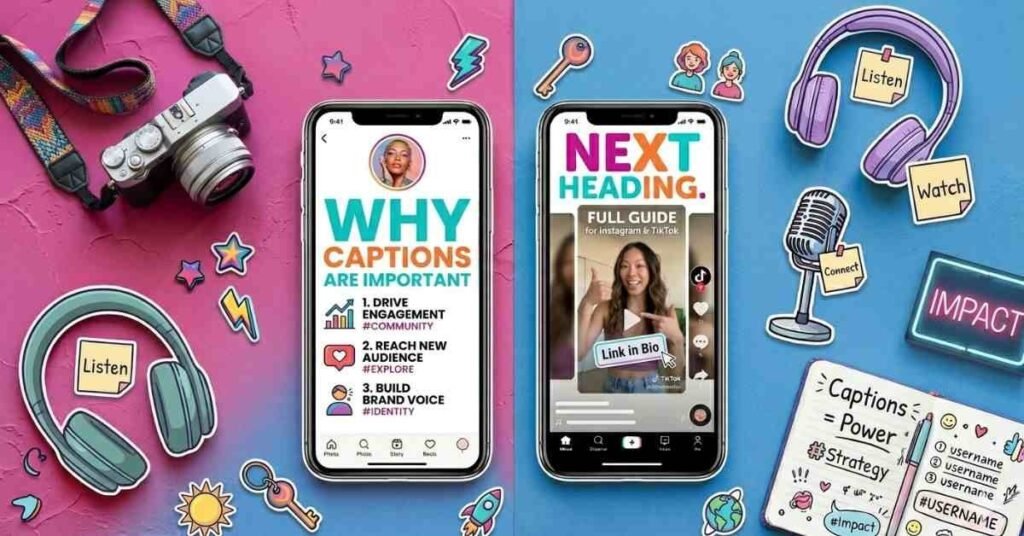
Captions are a vital part of your social media posts. They help your audience understand the story behind your photo or video. Without a caption, people might feel confused about what you are trying to show. A good caption builds a bridge between you and the person looking at your screen.
Additionally, captions help your content reach a wider audience. Apps use the words in your caption to show your post to the right audience. When you write a clear description, you make it easy for new followers to find you. Here are a few reasons why you should always include a caption:
- Better Context: They explain exactly what is happening in the post.
- Higher Engagement: They encourage people to leave a comment or a like.
- Search Power: They help your posts appear in search results.
- Personal Connection: They let your unique personality shine through.
- Accessibility: They help people who may not be able to hear your video audio.
Common Caption Mistakes to Avoid
Even a great photo can lose its impact if the caption is hard to read. One big mistake is writing long blocks of text without any breaks. This can make your followers feel tired before they even finish reading. It is much better to keep your sentences short and your ideas clear.
Another common error is forgetting to check your spelling or using too many hashtags. While hashtags are helpful, using too many can look messy and distracting. You want your words to be the main star of the show. Here are a few mistakes you should try to avoid:
- Writing Too Much: Don’t make your caption feel like a long book.
- No Line Breaks: Use spaces between paragraphs to make it easy to scan.
- Forgetting a Question: Always give people a reason to leave a comment.
- Hard Words: Avoid using complicated language that is difficult to understand.
- Missing Emojis: Don’t forget to add a little color to show your personality.
Conclusion
Captions are much more than just a bit of text under a picture. They are a powerful tool that helps you tell your story and connect with others. By using simple words and a friendly tone, you make your posts more welcoming. Whether you are sharing a joke or a helpful tip, a good caption makes all the difference.
Now that you know the basics, you can start writing your own amazing captions. Remember to keep your sentences short and always be yourself. The best social media posts are the ones that feel real and easy to read. Take these tips and use them to grow your community and share your world.
FAQs
1. What is the main purpose of an Instagram caption?
The main purpose is to provide context and tell the story behind your photo. It helps you connect with your followers and encourages them to leave a comment.
2. How long should a TikTok caption be?
TikTok captions should be short and catchy since the video is the main focus. Aim for one or two quick sentences that grab attention and include relevant hashtags.
3. Do I always need to use hashtags in my captions?
You don’t have to, but they are very helpful for reaching new people. Using 3–5 relevant hashtags makes it easier for others to find your content through search.
4. Can a caption be just an emoji?
Yes, sometimes a single emoji is enough if the photo speaks for itself. It keeps your post looking clean and works well for simple or artistic shots.
5. Why is the first line of a caption so important?
The first line is the “hook” that stops people from scrolling past. If it is interesting or funny, users are much more likely to click “more” and read the rest.

Welcome to Digital Pin Media! I’m Usama Ijaz, an AI-Powered SEO, and Content Write with 4 years of experience.
I help websites rank higher, grow traffic, and look amazing. My goal is to make SEO and web design simple and effective for everyone.
Let’s achieve more together!







One Comment