

Introduction
A Pinterest Video Strategy That Grows Your Account Fast serves as a roadmap for creating short, vertical videos that capture attention. This approach focuses on using motion and storytelling to stop users from scrolling past your content. By following a clear plan, you turn casual viewers into loyal followers and potential customers.
Are you tired of posting beautiful images only to see zero engagement? Most creators miss out on massive reach because they stick to static pins while the algorithm craves movement. You can unlock explosive growth today by mastering a few simple video techniques that make your brand impossible to ignore.
This guide explores how to design high-impact videos that align with the latest 2026 trends. You will learn to front-load your value in the first three seconds and use text overlays to communicate without sound. These specific tactics ensure your account scales quickly and stays ahead of the competition.
What Is a Pinterest Video?
A Pinterest video is a short, vertical clip that brings your ideas to life through motion. Unlike a still photo, these videos play automatically as people scroll through their home feeds. They usually last between 15 and 60 seconds and focus on teaching a skill or showing a transformation.
Think of these videos as digital “trailers” for your brand or lifestyle. They combine visuals, music, and text overlays to deliver a quick burst of inspiration. Users watch them to find new recipes, DIY projects, or fashion tips that they can try in real life.
How to Download a Pinterest Video Fast
You can save your favorite Pinterest videos to your phone or computer in just a few seconds. Since Pinterest does not have a built-in download button for videos, you need to use a reliable online downloader tool. This process works best when you have a stable internet connection and a clear link to the video you want to keep.
Once you find a video you love, copy its link and paste it into a downloader website. These tools quickly convert the video into a file format that your device can play offline. This allows you to watch the content later without searching for it again on your boards.
Follow these steps to download your video:
- Open the Pinterest app or website and find your video.
- Tap the “Share” icon or the three dots in the corner.
- Select the “Copy Link” option from the menu.
- Visit a trusted Pinterest video downloader site in your browser.
- Paste the link into the search box on the site.
- Click the download button and choose your preferred video quality.
Top Pinterest Video Downloader Apps

You can find many great apps and websites that make saving Pinterest videos a breeze. Some people prefer simple websites because they do not require any installation on your phone or computer. Other users choose dedicated apps that offer faster download speeds and the ability to save many videos at once.
The best tools are free to use and do not ask for your personal login information. They provide clear options to choose your video quality, such as HD or standard resolution. Using a trusted tool ensures that your downloads are safe and that the videos look sharp on your device.
Comparison of Top Pinterest Downloaders
| Tool Name | Type | Best For | Key Features | Price |
| VidsSave | Online | Quick downloads | No install, works on all browsers | Free |
| SavePin | App / Web | Easy mobile use | High-speed, simple interface | Free |
| 4K Video Downloader | Desktop | High quality | Supports 4K and 8K resolution | Free / Paid |
| ExpertsPHP | Online | Fast processing | Simple “copy-paste” system | Free |
| Publer | Online | Social media pros | No ads or watermarks | Free |
| Keep Save It | Mobile | Multi-platform | Works for Pinterest and others | Free |
Best Online Pinterest Video Downloaders
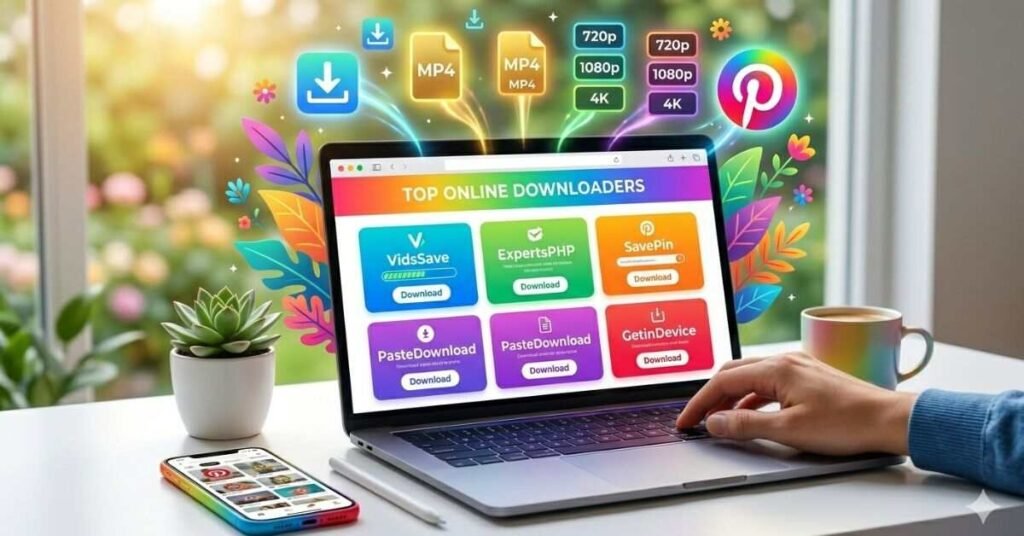
You can download videos online without installing any new software with online downloaders. These web-based tools work directly in your mobile or desktop browser. Most of them are free and provide high-quality MP4 files in just a few clicks.
Many top-rated sites now include extra features like batch downloading and ad-free interfaces. You simply paste your link, and the site generates a download button for you. These tools stay updated to ensure they always work with the latest Pinterest algorithm changes.
Check out these top online choices:
- Publer: This tool is completely free and has no annoying ads or watermarks.
- ExpertsPHP: A classic choice that works well on both Android and laptops for HD downloads.
- PasteDownload: Use this site if you want to choose from multiple video resolutions.
- GetinDevice: This site provides a very fast experience with no registration required.
- SavePin: A reliable option that handles high-definition Pinterest clips with ease.
Tips to Make Your Pinterest Video Go Viral
You must grab the viewer’s attention within the first two seconds. Use bright colors and bold text overlays so people know exactly what your video offers. High-quality lighting and a clear focal point keep users from scrolling past your content.
The Pinterest algorithm loves consistency and relevant keywords. Write a clear title and description that uses popular search terms. Add a strong call to action at the end to encourage saves and follows. These simple steps help the platform show your video to thousands of new people.
Pinterest Video Format and Quality Guide
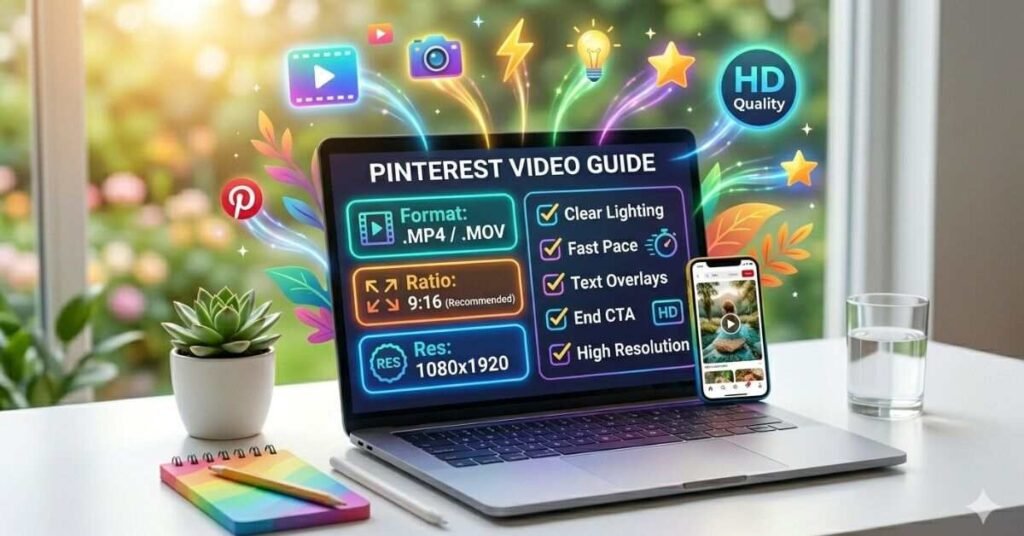
Your videos must look professional to attract clicks and saves. Pinterest favors vertical formats because most users browse on their mobile phones. High-resolution clips ensure your content stays sharp and clear even when the app compresses your file for faster loading.
Stick to a high frame rate and standard file types to avoid upload errors. Using the right aspect ratio prevents the app from cropping out important parts of your video. These technical steps build a strong foundation for your account growth and keep your audience engaged.
Follow these quality standards for the best results:
- File Format: Use .MP4 or .MOV for the best compatibility.
- Aspect Ratio: Choose 9:16 for full-screen impact or 2:3 for standard vertical pins.
- Resolution: Aim for 1080 x 1920 pixels to maintain high definition.
- Video Length: Keep your videos between 6 and 15 seconds for maximum engagement.
- File Size: Limit your file to 2GB or less so it uploads quickly.
- Safe Zone: Keep your text and logo within the center 80% of the frame so buttons do not cover them.
Common Pinterest Video Download Problems and Fixes
Sometimes you might face a glitch when trying to save a video. Most problems happen because of a broken link or a weak internet connection. If the download button does not appear, your browser cache might be full or the video might be set to private.
You can fix most issues by refreshing your page or clearing your browser data. If one downloader fails, try another site from the list above. Modern tools usually fix bugs quickly, so a simple retry often solves the problem.
Try these quick fixes if you get stuck:
- Check the Link: Ensure you copied the full URL from the address bar or the share menu.
- Update Your Browser: Use the latest version of Chrome or Safari to avoid compatibility errors.
- Disable Ad Blockers: Some ad-blocking software prevents download buttons from loading correctly.
- Check Privacy Settings: You cannot download videos from secret boards or private accounts.
- Verify Storage: Make sure your phone or computer has enough space to save the new file.
- Switch Connections: Move from cellular data to a stable Wi-Fi signal for a smoother download.
How Pinterest Videos Boost Traffic and Engagement

Pinterest videos act as a powerful magnet for new visitors. The platform’s algorithm pushes video content to the top of home feeds and search results. Because videos play automatically, they catch the eye much faster than a standard photo. This movement stops the scroll and encourages users to click through to your website or blog.
High engagement comes naturally when you share helpful or inspiring clips. People tend to save and share videos more often than static images. Each save signals to Pinterest that your content is valuable. This cycle increases your overall reach and brings a steady stream of loyal followers to your profile.
Increase Reach with Eye-Catching Videos
You attract more viewers when you create videos that pop. Use high-contrast colors and clear text to make your content stand out in a crowded feed. A fast-paced intro ensures that people stay to watch the rest of your story. These visual cues tell the audience that your video is worth their time.
Focus on creating a unique style that people recognize instantly. When your videos look professional and bright, users feel more comfortable clicking your links. This trust leads to more saves and more visits to your website. Consistent, beautiful videos turn random viewers into a dedicated community.
- Use Bright Lighting: Record your videos in natural light to keep the image crisp and clear.
- Add Big Text: Place large, easy-to-read captions on the screen to explain your topic.
- Show Results First: Start with the finished product to spark immediate interest.
- Keep It Fast: Use quick cuts and transitions to maintain a high energy level.
- Select Bold Colors: Pick a vibrant color palette that matches your brand identity.
- Include a Face: Share your personality on camera to build a human connection with your fans.
Drive Clicks and Shares Effectively
You can turn viewers into active fans by giving them a clear reason to act. Use a strong call to action at the very end of your video. Tell people exactly what to do, like “Click the link in my bio” or “Save this for later.” When you give a direct command, people follow it much more often.
Shares happen when your content solves a problem or offers a quick win. If a user finds your video helpful, they will want to show it to their friends. Focus on providing value that is easy to pass along. This word-of-mouth growth expands your reach far beyond your own following.
- Use a Teaser: Mention a secret tip or a free guide available on your website.
- Add a “Save” Reminder: Include a small icon or text that asks users to pin your video.
- Ask a Question: Encourage people to comment by asking for their opinion or experience.
- Solve a Problem: Create “how-to” clips that provide an instant solution to a common struggle.
- Offer a Reward: Link to a discount code or a printable resource to drive traffic.
- Create Seasonal Content: Share videos that match current holidays or trends to trigger more shares.
Conclusion
You can grow your Pinterest account quickly by using the right video strategy. Start by creating high-quality clips that grab attention in the first few seconds. Use the tools and tips mentioned above to save your favorite ideas and learn from the best creators. These simple steps will help you reach more people and build a brand that stands out.
Success on Pinterest comes down to being helpful and staying consistent. Keep experimenting with different video styles to see what your audience loves most. If you focus on providing value and using clear calls to action, your traffic will increase every day. Grab your phone and start filming your first viral video right now!
FAQs
Q1. How do I download a Pinterest video to my phone?
You copy the video link and paste it into a trusted online downloader like SavePin or Publer. The tool then saves the file directly to your device’s gallery or files.
Q2. Can I download Pinterest videos without using an app?
Yes, you can use website-based downloaders through your mobile or desktop browser. These sites allow you to save content without installing any extra software.
Q3. Is it free to download videos from Pinterest?
Most online Pinterest downloaders provide their services for free. You just need a stable internet connection and the URL of the video you want.
Q4. What is the best video format for Pinterest?
Pinterest prefers vertical videos in .MP4 or .MOV format. Use a 9:16 aspect ratio to ensure your video fills the entire screen on mobile devices.
Q5. Why is my Pinterest video download failing?
Check your internet connection or verify that the video link is from a public board. If the problem persists, clear your browser cache and try a different downloader site.

Welcome to Digital Pin Media! I’m Usama Ijaz, an AI-Powered SEO, and Content Write with 4 years of experience.
I help websites rank higher, grow traffic, and look amazing. My goal is to make SEO and web design simple and effective for everyone.
Let’s achieve more together!






One Comment