Introduction
A Pinterest business account helps you promote your products and ideas to people who love to discover new things. You can share images, videos, and links that lead users to your website. This type of account gives you tools like analytics and ads, so you can track what works and grow your brand faster.
Do you want more people to see your products and buy from you? Pinterest can bring ready-to-buy visitors to your page. Many users search for ideas before they make a purchase, so you can reach them at the right time. With the right strategy, you can turn simple pins into real sales.
In this guide, you will learn easy Pinterest business account strategies that help you grow quickly. You will discover how to create eye-catching pins, use keywords, and post the right content. These simple steps can help you increase traffic and boost your sales in less time.
Pinterest Business Account Setup Guide
You can create a Pinterest business account in a few easy steps. First, go to the Pinterest website and sign up with your email. Then choose the business account option. Add your business name, website, and a short description. After that, upload a clear logo as your profile picture. This setup helps people understand your brand quickly.
Next, you should optimize your account for better results. Write a simple bio with keywords like “pinterest business account.” Create boards based on your niche and add useful pins. You can also claim your website to build trust. When you complete these steps, you make your account ready to grow and attract more visitors.
How to Create Pinterest Business Account
You can create a Pinterest business account in a few simple steps. Go to Pinterest and click on sign up. Choose the business account option. Enter your email, password, and business name. Then select your country and add your website. This step helps you set up your account quickly.
Next, you should complete your profile to make it look professional. Make your profile picture clear by adding a logo. Write a short and simple bio using your main keyword. Create boards related to your niche and start adding pins. This process helps your account look active and ready to attract visitors.
Verify Your Pinterest Business Account Fast
You can verify your Pinterest business account in a few quick steps. First, log in to your Pinterest account. Go to settings and find the claim or verification section. Add your website link and follow the instructions. Pinterest will check your website to confirm ownership. By taking this step, you will be able to build trust and appear more professional.
You can also speed up the verification process by following the right steps carefully. Make sure your website is active and working. Add the verification code in your website or upload the HTML file if needed. Then confirm the setup in Pinterest settings.
- Add correct website URL
- Use active and working website
- Follow Pinterest verification method
- Confirm changes in settings
After this, your account becomes verified and ready for better reach and visibility.
Pinterest Business Account Benefits
A Pinterest business account helps you grow your brand online. It lets you reach people who are already searching for ideas and products. You can share pins that drive traffic to your website. This helps you get more visitors and more sales over time. It also gives you tools to track your performance easily.
You also get many useful features that help your business grow faster. Pinterest shows you what works and what does not. You can improve your strategy using real data.
- Reach a larger audience
- Track pin performance with analytics
- Promote products to interested users
- Increase website traffic
- Improve brand visibility
These benefits make Pinterest a strong platform for business growth.
Pinterest Business Account vs Personal
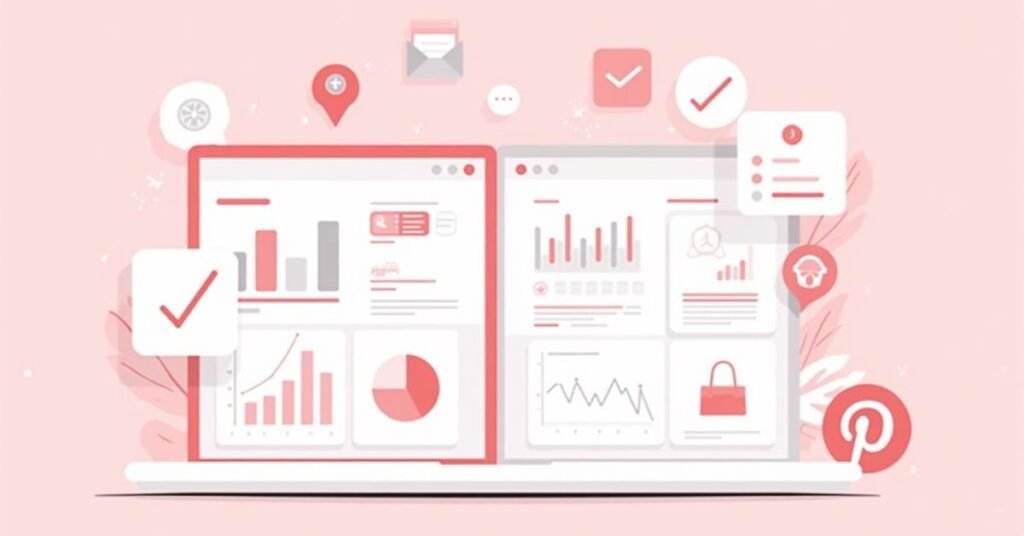
A Pinterest business account helps you grow a brand and promote products. It gives you tools like analytics, ads, and website verification. You can track how your pins perform and see what brings more traffic. This account works best for businesses, bloggers, and marketers who want growth and sales.
A personal account focuses on saving and sharing ideas for personal use. It does not offer business tools like analytics or ads. You can still pin and create boards, but you cannot track performance in detail. Below is a simple comparison to help you understand both accounts better.
| Feature | Business Account | Personal Account |
| Purpose | Business growth and marketing | Personal use and inspiration |
| Analytics | Available | Not available |
| Ads | Yes | No |
| Website Claiming | Yes | No |
| SEO Tools | Available | Limited |
| Audience Reach | High | Normal |
| Best For | Brands, bloggers, sellers | Casual users |
| Performance Tracking | Detailed insights | Not available |
A business account clearly gives more power and control. It helps you grow faster if you want real results online.
Pinterest Business Account Profile Optimization

You can optimize your Pinterest account profile to attract more visitors. Start with a clear profile picture that shows your brand or logo. Write a simple bio that explains what your business offers. Use your focus keyword “pinterest account” in a natural way. Add your website link so people can visit your page easily.
Next, you should make your profile look active and professional. Create boards based on your niche and add relevant pins. Use keywords in board titles and descriptions to improve search reach.
- Use a clear and high-quality logo
- Write a short and keyword-rich bio
- Add your website link
- Create niche-based boards
- Use SEO keywords in board names
A well-optimized profile helps you get more visibility and traffic.
Best Profile Tips for Pinterest Business Account
You can improve your Pinterest account profile by making it simple and clear. Make sure your profile picture represents your brand professionally. Write a short bio that tells people what you do. Add your main keyword in a natural way. Also, include your website link so users can visit your page easily.
You should also keep your profile active and well-organized. Create boards that match your niche and add helpful pins regularly. Use clear titles and keywords to improve search visibility.
- Use a clean and branded profile picture
- Write a short and clear bio
- Add your website link
- Create relevant niche boards
- Use keywords in board titles
- Post pins regularly
These simple tips help your Pinterest account look professional and attract more traffic.
How to Add Keywords in Pinterest Business Account
You can add keywords in your Pinterest account to help people find your profile. Start by using your main keyword in your profile name and bio. Write simple sentences that describe your business. Add keywords naturally so your profile looks clear and easy to understand. This helps Pinterest show your account in search results.
You should also use keywords in your boards and pins. Add strong keywords in board titles and descriptions. Write pin titles with simple search words that people use.
- Use keywords in your profile name
- Add keywords in your bio
- Use keywords in board titles
- Write keyword-rich pin descriptions
- Keep keywords natural and simple
This method helps your Pinterest account rank better and reach more users.
Pinterest Business Account Marketing Tips

You can grow your business on Pinterest by using smart marketing tips. First, focus on creating high-quality pins that grab attention. Use clear images, short text, and strong keywords. Post regularly so your audience stays engaged. This helps your Pinterest account get more visibility and traffic.
You should also use simple strategies to improve your reach. Follow trends and create pins based on what people search for. Share your pins at the right time for better engagement.
- Create eye-catching pin designs
- Use strong and relevant keywords
- Post consistently every week
- Follow trending topics
- Share pins at peak times
- Link pins to your website
These marketing tips help your Pinterest account grow faster and bring more visitors.
Pinterest Business Account SEO Strategy
You can improve your Pinterest business account by using a strong SEO strategy. Start by adding your main keyword in your profile name and bio. Use simple and clear words that people search for. This helps Pinterest understand your content and show it to the right audience.
You should also optimize your pins and boards with keywords. Write keyword-rich titles and descriptions for better reach. Keep your content useful and easy to understand.
- Use keywords in profile and bio
- Optimize board titles with search terms
- Write clear pin descriptions
- Add keywords in image text
- Post content regularly
A good SEO strategy helps your Pinterest business account rank higher and bring more traffic.
Pinterest Business Account Content Ideas

You can grow your Pinterest business account by sharing useful and creative content. Focus on posts that help your audience solve problems or find ideas. Use simple images and clear text. Keep your content attractive so people stop and click on your pins. This helps you get more engagement and traffic.
You should try different types of content to see what works best. Mix educational, inspirational, and promotional pins. Always add keywords in your pin titles and descriptions.
- How-to guides and tips
- Product showcase pins
- Before and after ideas
- Inspirational quotes
- Step-by-step tutorials
- Blog or website links
These content ideas help your Pinterest account stay active and grow faster.
Read More Information|https://digitalpinmedia.com/board-ideas-pinterest/
Common Pinterest Business Account Mistakes
Many people make simple mistakes when they use a Pinterest account. These mistakes stop their growth and reduce traffic. One common mistake is not using keywords in pins and profiles. Another mistake is posting without a clear plan. Some users also ignore analytics, so they do not know what works.
Small improvements can solve these problems. Always use keywords in your profile, boards, and pins. Post with a simple strategy and check your performance often.
- ❌ Problem: No keywords in profile or pins
✔ Solution: Add simple and relevant keywords everywhere - ❌ Problem: Random posting without plan
✔ Solution: Create a weekly content schedule - ❌ Problem: Ignoring analytics
✔ Solution: Check stats and improve weak content - ❌ Problem: Low-quality images
✔ Solution: Use clear and attractive visuals
When you avoid these mistakes, your Pinterest business account grows faster and performs better.
FAQs
Q1. What is a Pinterest business account?
A Pinterest business account helps you promote your brand, products, or services and track performance with analytics tools.
Q2. Is a Pinterest business account free?
Yes, you can create and use a Pinterest business account for free without any cost.
Q3. Why should I use a Pinterest business account?
You should use it to get more traffic, reach new audiences, and grow your online presence.
Q4. Can I switch from personal to business account?
Yes, you can easily convert your personal Pinterest account into a business account in settings.
Q5. Does Pinterest business account help in SEO?
Yes, it helps you rank better in search results when you use the right keywords and optimization.
Conclusion
A Pinterest business account gives you a simple way to grow your online presence. It helps you share ideas, products, and content with a large audience. You can use tools like analytics and keywords to improve your reach. This makes it easier to bring more traffic to your website.
If you use the right strategy, you can get better results in less time. Focus on good content, strong keywords, and regular posting. Growth can be achieved with small efforts. A well-managed Pinterest business account can help you increase visibility, engagement, and sales over time.

Welcome to Digital Pin Media! I’m Usama Ijaz, an AI-Powered SEO, and Content Write with 4 years of experience.
I help websites rank higher, grow traffic, and look amazing. My goal is to make SEO and web design simple and effective for everyone.
Let’s achieve more together!